Huff N’ More Puff App
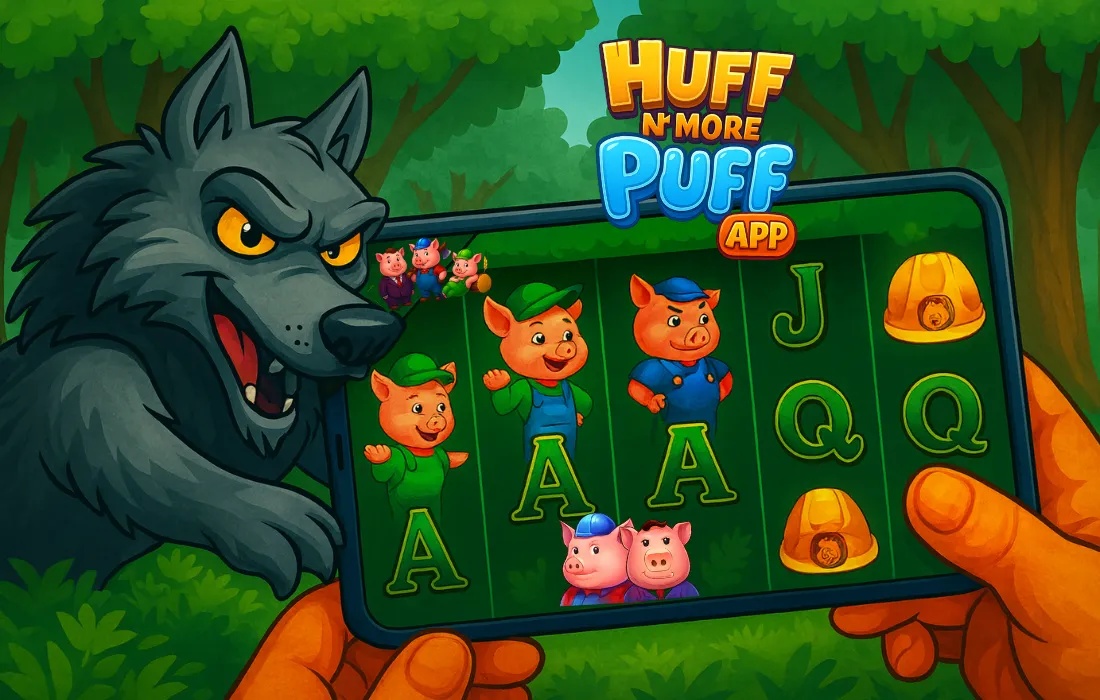
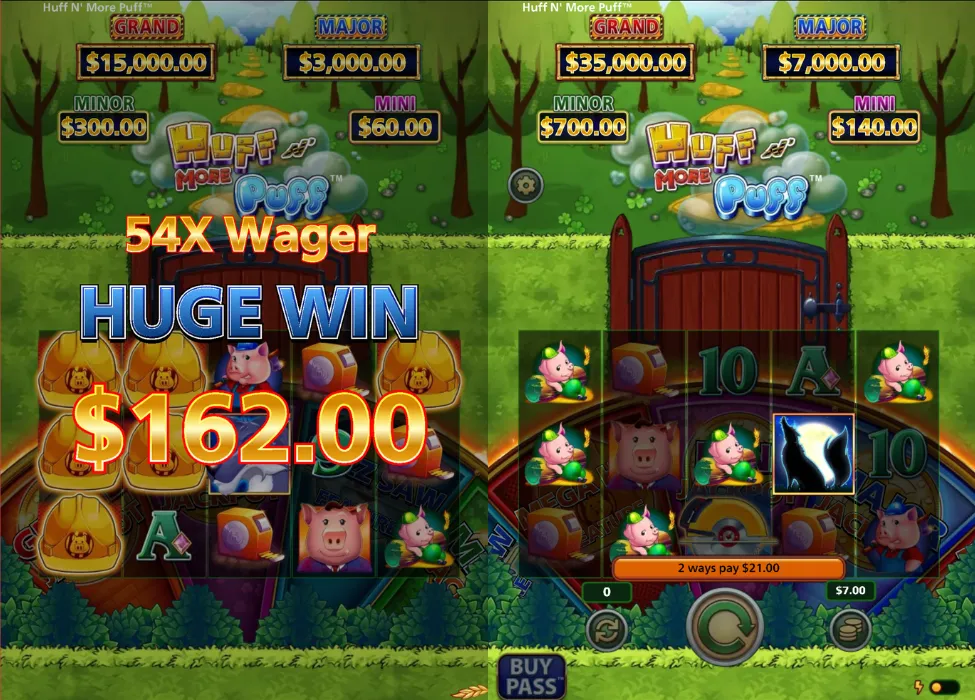
The Huff N’ More Puff App experience lets you play this Light & Wonder slot on your phone or tablet via a mobile browser or a licensed casino app. There’s no separate standalone game in the stores – instead, you log into your casino account, open Huff N’ More Puff from the lobby and spin for real money under the same rules as on desktop. The mobile version keeps the 5-reel, 3-row grid with 243 ways to win, the house-building Hard Hat features and jackpots, but runs in HTML5 with the reels filling most of the screen, your balance and stake controls along the bottom and the Spin button placed for easy one-handed use.
Mobile features and interface
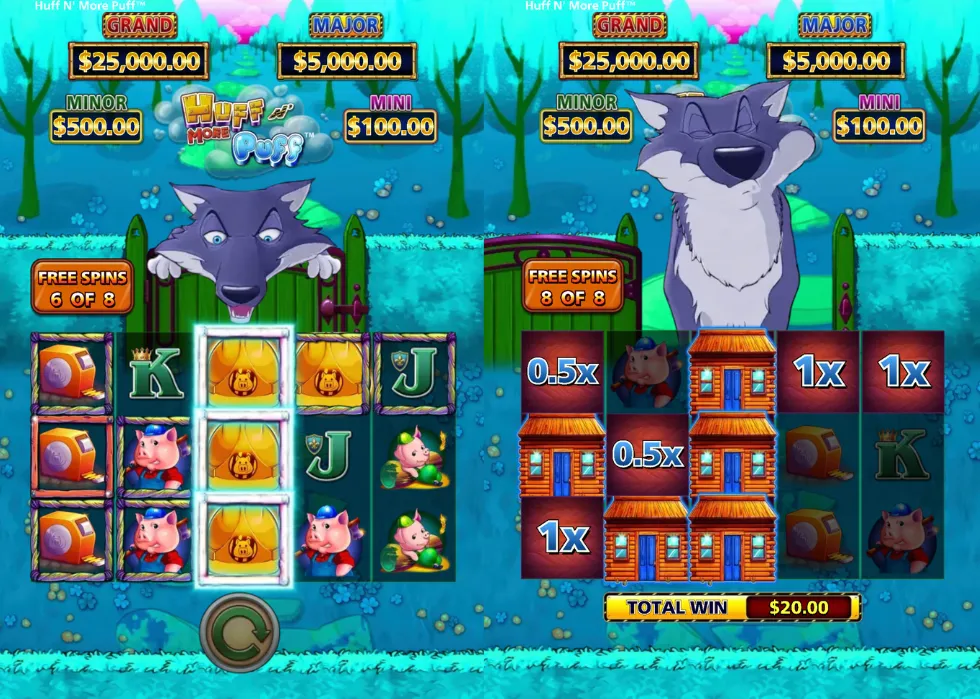
Visually, the mobile version keeps the full presentation of the desktop slot. You still see:

- The pigs as builders and the Big Bad Wolf as the Wild
- High-value pig symbols, medium-value tool symbols and low card ranks from 9 to A
- Hard Hat symbols that mark positions with straw, stick or brick frames
- The wheel feature that can award Buzz Saw, Mega Hat, Mansion bonuses or jackpots
In portrait mode the reels are stacked vertically with the logo and jackpot meters above them. In landscape mode, some casinos stretch the game so the reels are wider, but the controls stay grouped at the bottom-right corner. Inside the Huff N’ More Puff App interface you can usually tap icons to open the paytable, adjust sound, or check game rules without leaving the round.
How to play in the mobile app
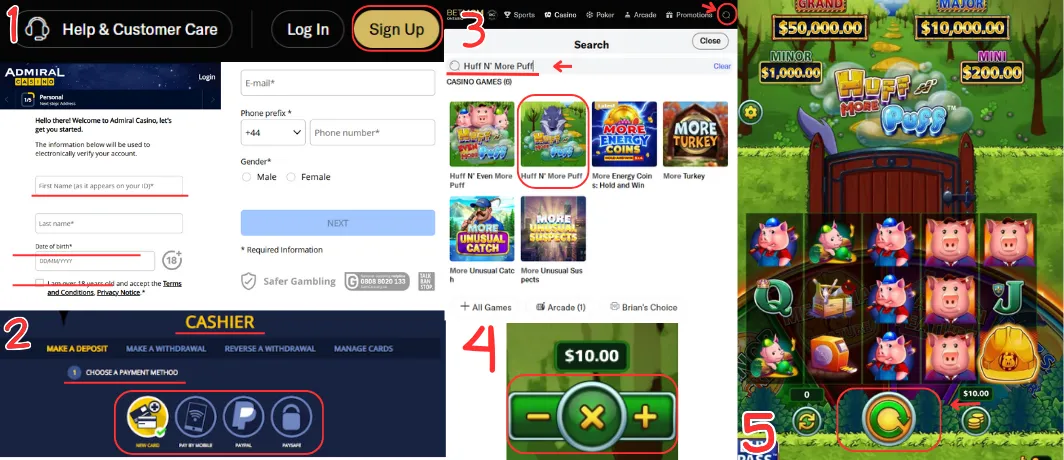
Playing the slot in a casino app or browser follows the same steps as on desktop:
- Register or log in. Open a licensed casino that offers the game and either create an account or log in. Only adults who meet the legal gambling age in their jurisdiction should play.
- Deposit funds. Go to the cashier section, choose a payment method and add money to your balance, staying within your budget and any limits you’ve set.
- Find the game. Use the search bar in the lobby to type “Huff N’ More Puff” or browse the slots section by provider (Light & Wonder).
- Set your stake. Inside the game, use the plus/minus buttons to choose your bet per spin. The range normally mirrors the desktop version (for example from 0.20 up to 100.00, depending on the casino and currency).
- Spin the reels. Tap the large Spin button to start each round. The game engine handles wins, house frames and bonus triggers automatically. Some jurisdictions also allow a limited auto-play option where you pre-set the number of spins and stop conditions.
Huff N’ More Puff Download in UK on mobile
For a safe Huff N’ More Puff Download, you should always go through a licensed online casino rather. You either install the operator’s mobile app or use its mobile website, then open the slot from the casino lobby and play under the same rules as on desktop.
| Platform | How it works | Notes |
| Android | Open the chosen casino site in Chrome or another browser, then follow the link to its official Android app. Install the app from Google Play or, where allowed, directly from the casino site, log in and search for Huff N’ More Puff in the slots section to start playing. | Once everything is installed and set up, the slot runs inside the casino app and does not appear as a separate game icon on your home screen. |
| iOS (iPhone / iPad) | Find the casino brand in the Apple App Store, download its official app and log in or register. Open the games or slots section, type Huff N’ More Puff into the search bar and launch the slot from the results. | Most casinos that offer Huff N’ More Puff in their apps also let you launch the game instantly in a mobile browser if you prefer not to install anything. |
Desktop vs mobile – what’s different?
| Aspect | Desktop version | Mobile / App version |
| Screen orientation | Landscape by default | Portrait or landscape, auto-adjusts |
| Controls | Mouse clicks, keyboard shortcuts (sometimes) | Touch controls, Spin & bet buttons sized for thumbs |
| Graphics & features | Full detail, large screen | Same features and symbols, slightly resized |
| Access | Web browser on PC or laptop | Mobile browser or casino app on phone/tablet |
| Session style | Longer seated sessions | Shorter, on-the-go sessions |
Overall, the mobile version of the game feels very close to the desktop one, but is optimised for quick sessions and one-handed play.
Huff N’ More Puff App – Advantages and Disadvantages
- Quick access to the slot from your home screen
- Same bonuses, jackpots and RTP as the desktop game
- Touch controls make it easy to spin with one thumb
- Good choice for short sessions during commutes or breaks
- Smaller screen can make long sessions tiring
- You need a stable mobile connection for smooth play
- Easy access on mobile means it’s important to manage time and budget carefully
Final thoughts on the mobile experience
The Huff N’ More Puff App version puts the game directly in your pocket without changing its core mechanics or bonus structure. Whether you play through a mobile browser or complete a Huff N’ More Puff Download in UK via a casino app, you still get the familiar mix of house-building features, wheel bonuses and fixed jackpots you know from desktop. The main difference is flexibility: you can dip in for a few spins on the sofa, during a commute or whenever you have a spare moment, with the interface and controls reshaped specifically for smaller touch screens.
Frequently Asked Questions
Can I get a standalone mobile app for this slot?
Is the mobile version different from the desktop slot?
Do I have to download an app to play on my phone?

Evan Mitchell
From my point of view, the mobile version of this slot works best when you want a few quick rounds rather than a long desktop session. Even on a smaller screen the graphics and animations look sharp, and a Huff N’ More Puff Download via a casino app means you can launch the game in seconds, spin a few times and then jump back to whatever you were doing.